Privacy Focused Infrastructure and Ai Development

How Paranoid Should You Actually Be?
"(But) we do need to protect our rights. And privacy does not just affect our rights, it is a human right"
"Digital communication has made it possible for governments to do bulk surveillance. But it has also enabled us to protect ourselves better."
"You might not have anything to hide, my friend. But you have everything to protect."
-Mikko Hypponen
The Three Stages of Digital Privacy: Finding Your Security Sweet Spot
I know, we all get lazy with our passwords. We have one password we set as a default to new accounts, believe we will go back and change it later, or just straight up use the same password for every account we have. But have you ever really sat down and thought, Maybe I should do something about this?
But what, exactly? Do you need to move to a cabin in the woods and communicate exclusively via carrier pigeon? Or is changing your password to something slightly more complex than "Password123!" enough?
The truth is, digital privacy isn't one-size-fits-all. Your threat model determines how much effort you should invest in protecting yourself (threat model is just security speak for "who's actually trying to get your data and why"). Think of it like home security: someone in a low-crime suburb might just lock their doors at night, while a jewelry store owner needs cameras, alarms, and a safe.
Today, we're breaking down three distinct levels of digital privacy, what I'm calling the "Three Stages of Paranoia" (though "paranoia" is a bit tongue-in-cheek, these are all rational responses to real threats). Let's find where you fit.
In "The Art of Invisibility", Kevin Mitnick emphasizes that no single security measure is sufficient. You need multiple overlapping protections because determined adversaries will probe for the weakest link.
These are essential books to consider why this content is important, and what it means to protect your privacy (you can scroll past to the article):

"The Age of Surveillance Capitalism" by Shoshana Zuboff
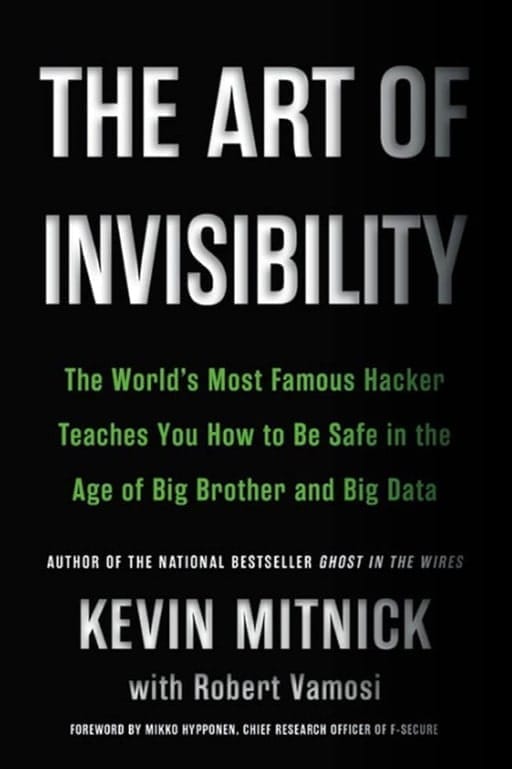
"The Art of Invisibility" by Kevin Mitnick
Macro Perspective:

"Nexus: A Brief History of Information Networks from the Stone Age to AI" by Yuval Noah Harari

"Privacy is Power: Why and How You Should Take Back Control of Your Data" by Carissa Veliz
Political Perspective:

"The Tyranny of Big Tech" by Josh Hawley - How Big Tech became the modern Monopolies, just like those of the railroads in the late 19th century.
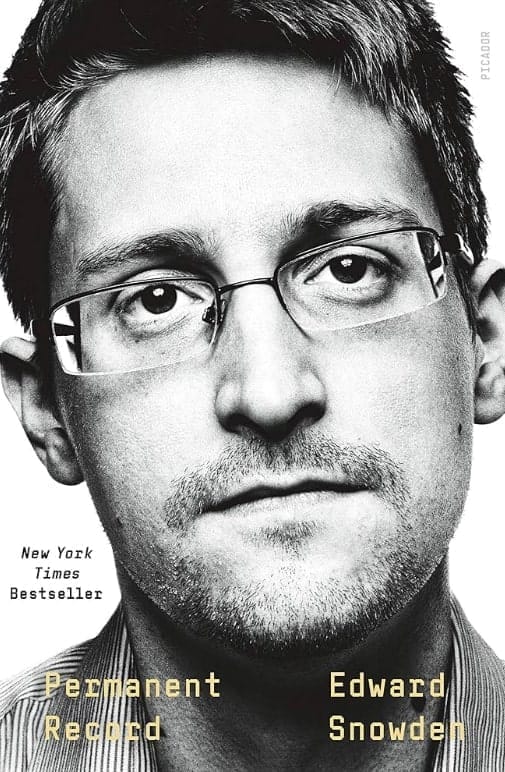
"Permanent Record" by Edward Snowden - Government surveillance, but the corporate-government data sharing is crucial.
Economic Perspective:

"TechnoFeudalism: What Killed Capitalism" by Yanis Varoufakis - the construction of their private cloud fiefdoms and privatized the internet
"Platform Capitalism" by Nick Srnicek - Short, rigorous analysis of how platform companies extract and control data as their core business model.

"Who Owns the Future?" by Jaron Lanier - A tech insider's economic critique proposing that ordinary people should be paid for the data they generate.
Technical Perspective:

"The Attention Merchants" by Tim Wu - History of how advertising evolved to capture and commodify human attention. Shows the progression to today's predatory practices.
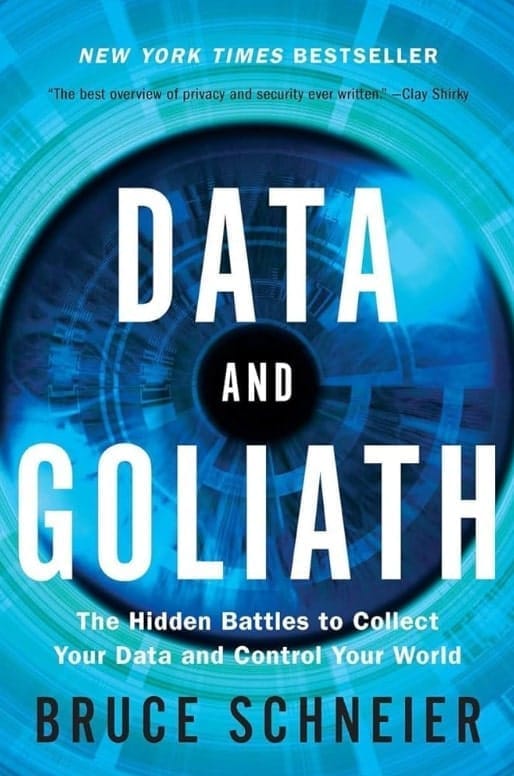
"Data and Goliath" by Bruce Schneier - Technical expert's view on mass surveillance and what we lose when data is collected.
Level 1: The Privacy-Conscious Citizen
Shoshana Zuboff's The Age of Surveillance Capitalism reveals how tech companies have transformed our personal experiences into data farms. When you use Gmail, you're not the customer; your behavioral data is the product. Tech companies don't just collect data for service improvement; they extract "behavioral surplus" to predict and even influence future behavior. This is exactly why Level 1 starts with ProtonMail.
Threat Model: Big Tech, data brokers, advertisers, casual hackers, nosy neighbors, identity thieves.
Who needs this: Most people. If you're concerned about corporations tracking your every move, don't want your data sold to the highest bidder, and want to make identity theft significantly harder, this is your baseline.
The Philosophy: You're not trying to hide from nation-states or three-letter agencies. You're simply opting out of surveillance capitalism and making yourself a harder target than 95% of people. Think of it as digital hygiene. It's like brushing your teeth, but for your data. Zuboff argues against the narrative that surveillance is the inevitable price of technology. Technology is two-fold; it can either leave us more vulnerable if we let it, or it can empower us to protect ourselves more effectively.
Setup & Services
Communication & Email
Start with Signal for messaging. It's end-to-end encrypted, open source, and trusted by security professionals worldwide. Your messages stay between you and the recipient. We want to avoid data, or our messages, from being stored on corporate servers for AI training or ad targeting.
For email, switch to ProtonMail or Tutanota. Both offer zero-access encryption, meaning even the email provider can't read your messages.
Create separate email addresses for different purposes:
Personal: Friends, family, important accounts
Financial: Banks, investment accounts, tax services
Subscriptions: Newsletters, streaming services, shopping
Burner/One-time: Account signups you don't trust, free trials
This compartmentalization means when (not if) a service gets breached, only that category is affected. Use aliases from SimpleLogin or Addy.io to mask your real email address. These apps automatically forward emails to your main account. This allows you to easily disable any alias that starts getting spam.
Device Security
Harden your macOS or Windows installation:
Enable full disk encryption (FileVault on Mac, BitLocker on Windows)
Turn off telemetry and data collection
Disable unnecessary permissions for apps
Enable the firewall
Keep everything updated
Switch to Firefox with hardening:
Install uBlock Origin (blocks ads and trackers)
Enable Enhanced Tracking Protection (Strict)
Use Privacy Badger and Decentraleyes
Disable telemetry in about:config
Consider Firefox Multi-Account Containers to isolate websites
Password & Financial Security
Use Bitwarden as your password manager. Generate unique, complex passwords for every account (something like `X9$mK2#vL8@pN4wQ`) for each site. Yes, every single one. With a password manager, you only need to remember one master password.
Bitwarden makes it easy to quickly apply random passwords when signing up for new accounts, just make sure you configure Bitwarden to generate passwords with random characters and symbols, and at least 25 characters long. Some password managers like Bitwarden have a browser extension that make it easy to access your passwords.
For credit cards, use Privacy.com to generate virtual card numbers. Create single-use or merchant-locked cards that can't be reused if breached. Your real credit card number stays hidden. This come in very handy when dealing with gym membership cancellations, or cancelling subscription services that make it nearly impossible to cancel.
Network Protection
Set up NextDNS as your encrypted DNS provider. This blocks ads, trackers, and malware at the DNS level, before they even reach your device. It works system-wide, protecting all your apps and browsers. Think of this as an umbrella over your home network, even above your router.
Add a trusted VPN like Mullvad, IVPN, or Proton VPN. Use it on public WiFi, when traveling, or whenever you want to mask your IP address from websites and your ISP. Don't fall for VPN marketing, they're not magic invisibility cloaks, but they do add a valuable layer of privacy. Avoid VPNs like ExpressVPN, NordVPN, even SurfShark. If they have big advertising budgets, they most likely are not the best option. If you cannot generate a login when signing up, there is a potential vulnerability to your anonymity.
Entertainment & Convenience
You can still have nice things! Set up a Plex or Jellyfin server on an old computer or NAS to stream your media collection. It's convenient, you own your content, and streaming services don't get to see your viewing habits.
Time Investment: 2-3 weekends for initial setup, 1-2 hours monthly for maintenance.
Cost: $50-100/year (VPN, DNS, email, card aliases)
Result: You've eliminated casual tracking, made targeted advertising far less effective, and become a much harder target for identity theft and account compromise. You're in the top 5% of privacy-conscious users.
If you want help with self-hosting open source services, design your server infrastructure, or asses your online security, schedule a call below.
Level 2: The Digital Fortress
Threat Model: Aggressive data harvesting, corporate espionage, determined hackers, stalkers, hostile ex-partners, private investigators, some government surveillance
Who needs this: Investigative journalists, activists, lawyers handling sensitive cases, executives, whistleblowers (non-nation-state level), security professionals, domestic abuse survivors, public figures, anyone with targeted threats.
The Philosophy: Your threat model includes actors who are specifically targeting you. Generic privacy tools aren't enough. You need defense-in-depth with multiple layers, self-hosted infrastructure, and minimal trust in third parties.
Setup & Services
Operating System
Switch to ParrotOS or QubesOS for your primary machine. ParrotOS is Debian-based and security-focused, with built-in pentesting tools and privacy configurations. QubesOS uses compartmentalization. Different activities run in isolated virtual machines, so a compromise in one area doesn't spread.
Whonix on Qubes (or in VirtualBox on any preferred OS) for extreme cases of anonymity. "Whonix is about as anonymous as it can get before it all becomes too inconvenient for normal use" - The Guardian. Edward Snowden's daily driver setup.
Keep a VM (Virtual Machine - VirtualBox) dedicated to Tor browsing for research that needs to be truly anonymous. Never mix Tor and non-Tor activities on the same profile.
Network Security: The Holy Trinity
Layer your defenses (If just using ParrotOS for day-to-day use, not when anonymizing yourself):
1. NextDNS (DNS filtering)
2. Pi-hole on your network (catches what DNS filtering misses)
3. VPN (preferably Mullvad or IVPN) (Though not with Tor browsing) (IVPN works with NextDNS perfectly, not yet with Mullvad).
Deploy pfSense or OPNsense as your dedicated firewall/router. This requires dedicated hardware like a mini PC (Protectli, Qotom), an old desktop, or purpose-built hardware. You install the OS on bare metal, and it becomes your network's primary gateway/firewall. Configure pfBlockerNG (pfSense) or os-adblock (OPNsense) for DNS/IP-level blocking.
Install application firewalls: Little Snitch (Mac) or Portmaster (Windows/Linux) to monitor and block every application's network requests. You'll be shocked at how much software "phones home."
Authentication & Hardware Security
Deploy YubiKeys for 2FA on every critical account. Physical security keys can't be phished. They use cryptographic proof, not codes that can be intercepted.
2FA is required on all essential logins. MFA is essential for banking/financial accounts, social accounts, administrative accounts, remote access, enterprise SaaS accounts, healthcare and government portals, and email/identity providers. Avoid 2FA through SMS.
Core MFA Factor Types:
Knowledge (Something you know)
Includes passwords, PINs, or answers to security questions.
Possession (Something you have)
Examples are hardware tokens (like YubiKey), authenticator apps (TOTP codes in apps like Authy or Google Authenticator), smart cards, email/SMS codes, and push notifications sent to a trusted device.
Inherence (Something you are)
Biometric authentication based on unique physical characteristics, such as fingerprint, facial recognition, iris scan, or voice recognition.
Location (Somewhere you are)
Location-based verification using geolocation, specific network, or IP range to confirm identity, especially in zero trust or adaptive authentication frameworks.
For MFA, use at least 3 of the following:
Yubikey physical security key
Authenticator app (Ente Auth, 2FAS Auth, Google Auth)
Email Authentication
Strong Password
Biometrics (If using Apple products or have access to biometrics, though not always recommended to use biometrics)
Acquire phone number aliases through MySudo or Google Voice (for non-sensitive use). Never give your real number to services you don't deeply trust. This is an increasingly important one as I see people get spam calls all the time. A phone number is sacred. Women inherently understand this when asked for their numbers by random men at bars and clubs. Big Tech and Big Data are those random guys.
For mail, use CMRA (Commercial Mail Receiving Agency) services or private mailboxes so your physical address stays private.
Communication
Upgrade from Signal to include Session or Briar. Session requires no phone number and uses onion routing. Briar works peer-to-peer and can function without internet via Bluetooth or WiFi Direct. These become useful if your adversary can cut your connectivity.
Metadata is Data - The idea that even when content is encrypted, metadata (who you contact, when, location data) tells a powerful story. This supports your emphasis on tools like Session and Briar that minimize metadata collection.
Continue using Tutanota or ProtonMail, but now you're also using Kleopatra for PGP encryption with select contacts who need maximum security.
Encrypt Everything
Full disk encryption: LUKS (Linux), FileVault (macOS), BitLocker (Windows)
File-level encryption: VeraCrypt containers for sensitive documents
External drives: Hardware-encrypted drives (Apricorn Aegis) or VeraCrypt
Cloud storage: If you must use cloud storage, encrypt first with Cryptomator, along with a trusted cloud storage provider like Proton Drive
Self-Hosted Infrastructure (HomeLabbing)
Set up a TrueNAS server for local storage with ZFS for data integrity.
Add:
Nextcloud (your private Dropbox/Google Drive)
Vaultwarden (self-hosted Bitwarden server)
Immich (your private Google Photos)
Paperless-ngx (document management)
Jellyfin (streaming without the surveillance)
WireGuard (VPN into your home network)
Twingate (Zero Trust Tunnelling into your home network, better than WireGuard VPN)
FreshRSS (own your information sources)
Run everything in Docker containers or LXC (Linux Containers) on Proxmox for easy management and isolation.
Browsing
Use Librewolf or Mullvad Browser instead of standard Firefox (both are hardened out-of-the-box). Tor Browser for anything sensitive (ran in a VirtualBox, better yet using Whonix). Different browsers for different compartments of your life.
Time Investment: 1-2 months initial setup, 5-10 hours monthly maintenance.
Cost: $500-2000 upfront (hardware), $200-400/year (services)
Result: You're now extremely difficult to surveil casually. Tracking requires targeted effort and resources. Your infrastructure is under your control. You can detect and respond to threats. You're in the top 0.1% of privacy-conscious users.
Level 3: The Ghost Protocol
As Kevin Mitnick demonstrates in The Art of Invisibility, even the strongest encryption means little if your behavior patterns and metadata give you away. Privacy requires both technical tools and operational discipline - which is why Level 3 isn't just about software.
Threat Model: Nation-state actors, advanced persistent threats (APTs), three-letter agencies, organized crime, authoritarian regimes, sophisticated intelligence services.
Who needs this: High-risk activists in authoritarian countries, national security whistleblowers, journalists covering cartels or corrupt governments, people with bounties on their heads, individuals facing state-level persecution.
The Philosophy: You operate under the assumption that powerful adversaries with nearly unlimited resources are actively trying to identify, locate, and harm you. Every connection is a potential vulnerability. You must stay anonymous at every step.
Setup & Services
WARNING: If you're genuinely at this level, you should be consulting with security professionals, not blog posts. This is for educational purposes.
Operating Systems
For your primary OS, TailsOS for most activities. Tails is amnesic meaning it runs from USB, leaves no trace on the computer, and routes all traffic through Tor. When you shut down, everything vanishes. It's as close to digital invisibility as you can get.
For mobile, GrapheneOS on a Google Pixel (ironically, Pixels have the best security architecture). Disable all Google services. Use only open-source apps from F-Droid. Acquiring a pixel may be expensive and difficult, so obtaining a burner phone will be your best bet (and more secure/anonymous). Stick to the phone strategy below.
For secondary machines, Qubes OS or Whonix for compartmentalized work that needs persistence.
Communication
Abandon anything requiring phone numbers. Use:
Briar for local organizing (works offline, peer-to-peer)
Session for remote contacts (no phone number, onion routing)
Element/Matrix on anonymous accounts (federated, encrypted)
Email is a liability. If you must: Run your own mail server (Mail-in-a-Box) on a VPS paid for anonymously. Use Kleopatra or GPG Suite for mandatory PGP encryption on every message. Verify fingerprints in person.
Network & Payment
VPN: Mullvad paid with Monero (or cash mailed to them). No accounts, no email, no traces. Mullvad was raided by Swedish police in 2023, but they found nothing because they keep no logs.
DNS: Self-hosted or use Quad9, but honestly, you're routing through Tor anyway.
Payments: Monero for everything possible. It's private by default (unlike Bitcoin) where transactions can't be traced. Mine it or buy from DEXs using methods that don't require ID. Cash for physical purchases, always.
Phone Strategy
At Level 3, your phone is a tracking device that happens to make calls. Every smartphone constantly broadcasts your location, connects to cell towers, and creates an exploitable data trail. If your threat model includes sophisticated adversaries, you need compartmentalized phone infrastructure.
Acquiring and Using Burner Phones:
The protocol for obtaining burner phones is straightforward but requires discipline. Purchase devices with cash only from high-traffic big box stores, never establishing patterns by returning to the same location. Buy activation SIM cards separately, at different times and places. The critical rule: never power on a burner phone near your home, work, or any location associated with your real identity. First activation should happen miles away, ideally in an area you'll never visit again.
Maintain at least two phones with strict compartmentalization. Your "dirty" phone handles sensitive activities: Tor browsing, encrypted communications, anything that could compromise you. This device never touches your home network and only connects via public WiFi far from your regular haunts. Power it off completely between uses, and if possible, remove the battery (modern phones can be tracked even when "off"). Your "clean" phone maintains a separate identity with its own contacts and usage patterns that never intersect with your real life or your sensitive work. These two identities must never meet. Don't bring both phones to the same location, ever.
Rotate phones frequently, ideally monthly or whenever you suspect compromise. When disposing of old devices, destroy them completely (degauss, physically destroy the chips, and dispose of components in separate locations). For the truly committed, the best phone is no phone. Use public WiFi at libraries and cafés, access from different locations without patterns, and communicate through physical dead drops when possible.
MAC Address Randomization: Extending OPSEC to Your Computer:
Your phone isn't the only device betraying your location. Every network-capable device broadcasts a MAC (Media Access Control) address—a unique hardware identifier logged by every WiFi network you touch. Connect to the same café twice, and you've created a trackable pattern. Even with Tor and a VPN, your MAC address can link multiple "anonymous" sessions and reveal that your Tor laptop and your regular laptop belong to the same person.
The solution is MAC address spoofing. Before connecting to any network, randomize your hardware address. On Linux, use `macchanger` to generate a new random MAC. On macOS, tools like LinkLiar provide easy GUI-based randomization. Windows users can modify the network adapter properties manually or use Technitium MAC Address Changer. Change your MAC before every session, especially when using the same physical location multiple times.
The Integrated Approach:
These techniques work together to create operational security. You drive 30+ minutes from home to an unfamiliar café, having changed your appearance. Before entering, you randomize your laptop's MAC address. You power on your burner phone (battery was removed during transport), connect your laptop through the phone's hotspot for double-NAT protection, and route everything through Tor. After your session, you power down completely, remove the phone battery, randomize your MAC address again, and leave via a different route. Every session creates no persistent trail. New location, new MAC, different phone, zero patterns.
This isn't paranoia when your adversaries have nation-state resources. It's making surveillance expensive enough that you're not worth the effort. But be honest about your threat model. If you're not facing genuine persecution, GrapheneOS with proper OPSEC is sufficient. Don't implement burner phone protocols to check your email. Match your security to your actual risk.
Physical Security - OPSEC becomes critical
Mitnick stresses that technical tools are worthless if your behaviour gives you away. This reinforces your Level 3 section about patterns, routines, and physical security. Mitnick discusses scenarios where people used strong encryption but were identified through behavioural patterns and metadata analysis - showing that privacy requires both technical tools AND disciplined operational security.
Operational Security (OPSEC)
RFID-blocking everything
Change appearance (clothing, gait) regularly when in public
Counter-surveillance techniques
Faraday bags for devices
No patterns in routines
Never discuss sensitive topics near smart devices or phones
Assume all communication is monitored unless even when verified E2EE (Metadata is in the clear)
Browsing & Identity
Tor Browser for everything, but with extreme caution:
Never log into accounts that connect to your real identity
Never maximize the window (fingerprinting)
Multiple identities, never mixed
Bridge relays if Tor is blocked or monitored in your region
Consider Whonix for Tor-over-VPN-over-Tor
Create completely separate digital identities. Different browsers, different OS installations, different devices. Never let them overlap.
Data Storage
Air-gapped computers for the most sensitive data (Isolated Storage)
Encrypted drives, multiple layers (VeraCrypt hidden volumes)
Dead drops (Drop Zones) for physical exchanges
Nothing in the cloud, ever
Regular destruction of old data (DBAN, physical destruction)
Time Investment: Ongoing lifestyle, not a project. Every action requires threat assessment.
Cost: Variable, but the real cost is convenience and normal life.
Result: You're a ghost. Finding you requires significant state resources, time, and expertise. You've made yourself as hard a target as technically possible. You're also probably exhausted.
So... Which Level Are You?
Here's the honest truth: Most people need Level 1, with a few Level 2 elements.
If you're reading this on your phone while drinking coffee, you're not being hunted by the FSB. You don't need Tails. You probably don't even need self-hosted email.
What you do need is:
Protection from mass surveillance
Defence against data breaches
Freedom from ad tracking
Control over your personal information
Level 1 gives you all of that. It's the sweet spot where security and convenience still coexist.
Level 2 is for people with specific, elevated threats. If you're handling sensitive information, if someone has a reason to specifically target you, if your work puts you at risk—this is where you need to be.
Level 3 is for the genuinely persecuted. If you're at Level 3, you already know it. You're not wondering if you need GrapheneOS, you've had GrapheneOS for years.
The Trap of Security Theater
Here's what I see all the time: people implementing Level 3 security for Level 1 threats. They're running Tails to check their email. They're using burner phones to order pizza. They're paying for VPNs with Monero to watch Netflix.
This isn't just overkill, it's really counterproductive. You'll burn out, cut corners, and end up less secure than if you'd implemented appropriate measures consistently. Level 3 takes extreme discipline in both online and offline activities.
Security is a spectrum, not a checklist. Start at Level 1. Implement it fully and maintain it. If your threat model changes, escalate. But don't let perfect be the enemy of good.
Your Threat Model Might Change
The beautiful thing about this framework is its modularity. You can start at Level 1 and add Level 2 components as needed:
Becoming a journalist? Add Session and PGP.
Starting a company? Implement network segmentation.
Receiving threats? Get YubiKeys and harden everything.
Moving to a hostile country? Time for Briar and GrapheneOS.
Privacy isn't paranoia. It's preparation.
The Real Takeaway
You don't need to choose between convenience and privacy at Level 1. You don't need to become a hermit to be secure. But you do need to take action.
Start today:
1. Install Signal and switch to ProtonMail
2. Get a password manager (I use Bitwarden, ProtonPass is a good alternative if getting into the Proton Ecosystem)
3. Use Firefox with simple ad-blocking extensions like UBlock Origin and Privacy Badger.
4. Enable disk encryption (Veracrypt, filevault)
5. Use a VPN on public WiFi
Five steps. One weekend. You've just made yourself exponentially more secure than you were yesterday.
The question isn't "Am I paranoid enough?"
It's "Am I doing enough to match my actual risk?"
Only you can answer that. But at least now you know what "enough" looks like.
Stay safe out there. And remember: privacy is a right, not a privilege. Whether you're protecting your photos from Big Tech or your sources from Big Brother, taking control of your digital life is always worth the effort.
If you want help with self-hosting open source services, design your server infrastructure, or asses your online security, schedule a call below.

Nicholas Matzan
Self Hosting | Server Infrastructure | AI Development





Helping you achieve digital sovereignty through open-source solutions and human-centered AI automation.
Self-Hosting + Privacy + Automation
nick@apalto.ai

